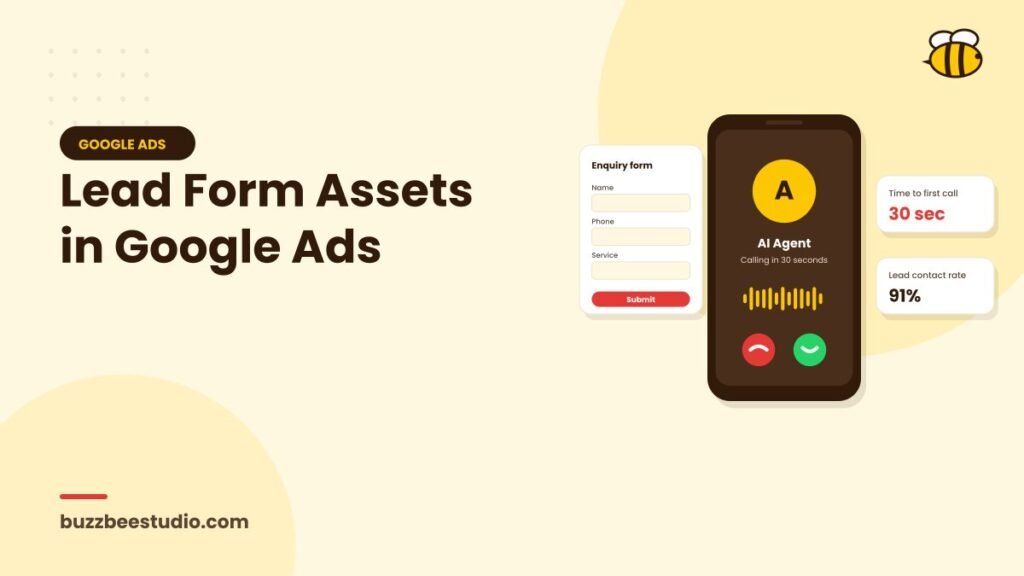
Lead form assets add a form to your Google ads. When someone taps the form, it opens directly within Google, often pre-filled with details from their Google account, so they can submit an enquiry in seconds. For mobile users especially, this removes friction and can increase lead volume.
How lead form assets work
You create a lead form asset in Google Ads and attach it to eligible campaigns, such as Search, Performance Max, Demand Gen and video campaigns. Users see a call to action, such as "Get quote", "Sign up" or "Book now", and the form opens without loading your website.
The form can include:
- A headline and business name.
- A description of your offer.
- Fields such as name, email, phone number, city and job title.
- Custom questions, such as service needed, budget or timeline.
- A link to your privacy policy, which is required.
- A submission message and optional call to action, such as visiting your website.
Benefits
- Faster enquiries: fewer steps for users.
- Mobile-friendly: works smoothly on phones.
- Pre-filled details: reduces typing.
- No landing page needed for the lead to be captured.
Potential drawbacks
- Lead quality: easy forms can attract less committed users.
- Less context: users don't see your website, reviews and details before submitting.
- Follow-up dependency: leads need prompt contact, as people may forget they enquired.
Eligibility and requirements
Google has eligibility requirements for lead form assets, including account history, policy compliance and having a privacy policy. Some sensitive categories may be restricted. Check the current requirements in your account.
Setting up a lead form asset
- Go to Assets in Google Ads and create a lead form.
- Choose a call to action.
- Write a clear headline and description explaining what people will get.
- Choose the fields you need.
- Add qualifying questions if helpful.
- Add your privacy policy URL.
- Write a submission message telling people what happens next.
- Set up lead delivery.
Improving lead quality
Choose "more qualified" over "more volume"
Google offers a form type option that adds an extra review step before submission. This can reduce volume but improve intent.
Add qualifying questions
Ask one or two questions, such as:
- Which service are you interested in?
- Where is the property located?
- When do you want to start?
- What's your approximate budget?
Use multiple-choice answers to keep it quick.
Be clear about the offer
Explain exactly what happens after submitting: "Our team will call you within 30 minutes to discuss your requirements."
Set expectations about price
Mentioning starting prices can discourage enquiries from people outside your range.
Getting leads to your team fast
Speed is essential. Options for receiving leads:
- Download from Google Ads: manual and slow; not recommended for active campaigns.
- Webhook integration: send leads automatically to your CRM or system.
- Integrations with CRM platforms that support Google Ads lead forms.
- Automation tools that pass leads to email, WhatsApp or spreadsheets.
Set up instant notifications so your team can call within minutes.
Tracking and optimisation
Lead form submissions count as conversions in Google Ads. For better optimisation:
- Track which leads become qualified or customers in your CRM.
- Import offline conversions back into Google Ads.
- Compare lead form leads with website leads for quality and cost.
When to use lead form assets
They often work well for:
- Mobile-heavy audiences.
- Straightforward services with clear offers.
- Businesses with fast follow-up processes.
- Campaigns where landing page speed or quality is a barrier.
They may be less suitable when customers need lots of information before enquiring, or when lead quality is already a problem.
Testing
Run lead form assets alongside your website forms and compare:
- Lead volume.
- Cost per lead.
- Contact rate.
- Qualification rate.
- Conversion to customers.
Respect privacy
Lead forms collect personal data, so be clear about how you'll use it. Link to an accurate privacy policy, store leads securely, limit access to the people who need it and delete data you no longer need. Only contact people about what they enquired about, and honour any request to stop. Careful handling protects both your customers and your reputation, and keeps your account in good standing with Google's policies.
Final thoughts
Lead form assets make enquiring from Google ads quick and easy. With qualifying questions, clear offers and instant follow-up, they can add valuable leads to your campaigns. Test them carefully and measure quality, not just volume.
Buzz Bee Studio sets up Google Ads lead forms connected to your CRM and WhatsApp. Get in touch to test them in your campaigns.