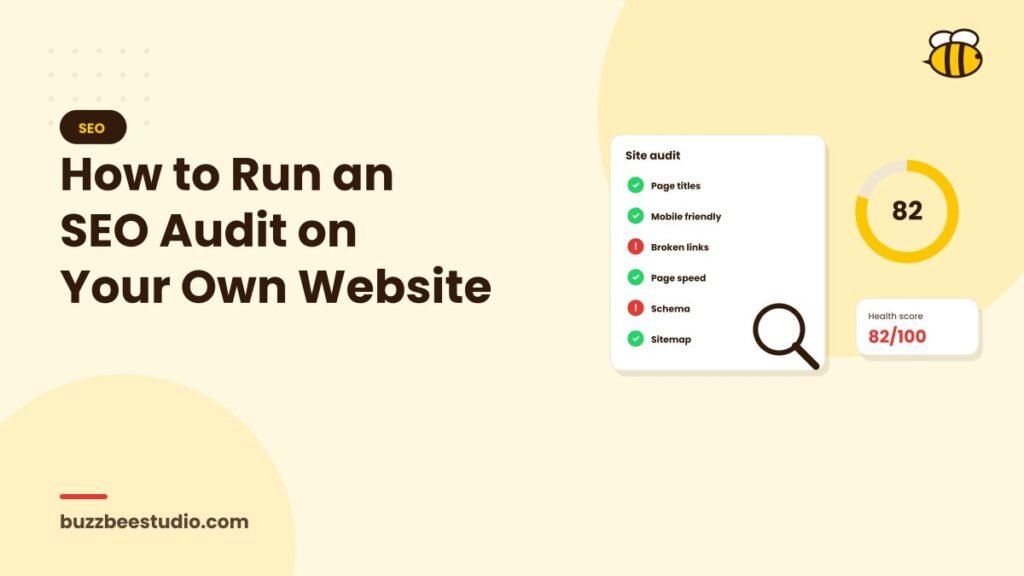
An SEO audit is a health check for your website. It shows what's helping your rankings, what's holding them back and where the biggest opportunities are. Agencies run detailed audits with professional tools, but you can find many important issues yourself in an afternoon using free resources.
What you'll need
- Google Search Console for your website.
- Google Analytics 4.
- Google PageSpeed Insights.
- Google's Rich Results Test.
- A spreadsheet to record findings.
- Optionally, a free or trial version of a website crawler.
Step 1: Check indexing
In Search Console, open the Pages report.
- How many pages are indexed?
- Are important pages missing?
- What reasons does Google give for pages not being indexed?
Some excluded pages are normal, such as duplicates or redirects. But if key service pages aren't indexed, that's a priority.
Also search Google for site:yourdomain.com to get a rough view of what's indexed.
Step 2: Look for technical errors
Check for:
- Broken pages (404s): fix or redirect them.
- Server errors: discuss with your hosting provider.
- Redirect problems: chains or loops.
- Robots.txt blocks: make sure important areas aren't blocked.
- Noindex tags on pages that should rank.
- HTTPS issues: all pages should load securely.
A crawler tool makes this faster by scanning your whole site.
Step 3: Test speed and Core Web Vitals
Run your homepage and main service pages through PageSpeed Insights, focusing on the mobile results. Check the Core Web Vitals report in Search Console. Note slow pages and the main recommendations, such as compressing images or reducing scripts.
Step 4: Review mobile experience
Open your site on a phone. Can you read text easily? Are buttons easy to tap? Do forms work? Is anything cut off or hidden? Try completing an enquiry as a customer would.
Step 5: Check titles and meta descriptions
List your key pages and review:
- Does each have a unique title tag?
- Do titles include the main keyword and location?
- Are meta descriptions compelling and unique?
- Are any missing or duplicated?
SEO plugins and crawlers can export these for quick review.
Step 6: Review headings and content
For each key page:
- Is there one clear H1 heading?
- Does the content answer what searchers want?
- Is it detailed enough compared with competitors?
- Does it show real expertise, such as photos, examples and specifics?
- Is there a clear call to action?
Flag thin pages with very little content and pages that overlap heavily with others.
Step 7: Check internal linking
- Can visitors reach important pages within a few clicks?
- Do service pages link to related services and relevant blog posts?
- Are there "orphan" pages with no internal links pointing to them?
Good internal linking helps both users and search engines.
Step 8: Review images
Check that images are compressed, have descriptive file names and include alt text. Large images are a common cause of slow pages.
Step 9: Analyse search performance
In Search Console's Performance report:
- Which queries bring the most impressions and clicks?
- Which pages perform best?
- Which queries have high impressions but low click-through rates? These are candidates for better titles and descriptions.
- Which pages rank in positions 5–20? Improving these can bring quick wins.
Step 10: Check local SEO
- Is your Google Business Profile complete and accurate?
- Are your name, address and phone number consistent on your site and directories?
- Do you have recent reviews, and are you responding to them?
- Do you have pages for the areas you serve?
Step 11: Review backlinks
Search Console's Links report shows top linking sites. Look for:
- Quality, relevant links.
- Suspicious or spammy links.
- Opportunities, such as partners or directories that don't yet link to you.
Step 12: Check structured data
Use the Rich Results Test on key pages, and review structured data reports in Search Console for errors.
Step 13: Check conversions
SEO should bring business, not just traffic. In Analytics, check whether forms, calls and WhatsApp clicks are tracked, and which pages generate enquiries.
Prioritise your findings
Group issues into:
- Critical: blocking indexing, broken key pages, major speed problems.
- High impact: weak titles, thin service pages, missing local SEO basics.
- Nice to have: minor technical issues and small improvements.
Fix critical issues first, then work through high-impact items.
Repeat regularly
Run a light audit monthly using Search Console, and a fuller audit every few months or after major website changes.
Final thoughts
A DIY SEO audit won't catch everything a specialist would, but it can uncover the biggest problems and opportunities. Use free tools, work through each area methodically, prioritise what matters and keep checking regularly.
Want a professional second opinion? Buzz Bee Studio offers free SEO audits for UAE businesses, with a clear list of priorities.